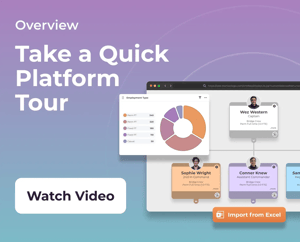
0:00 we're going to take a look at our employee workflows. So, one of the workflows that MartianLogic looks after is the employee lifecycle for variations. 0:13 So, in order to initiate a variation to an employee's conditions, you can initiate this from a couple of places. So, we can do it from the employee's profile here by going into lifecycle and saying new process and employment changes. 0:29 Or we can initiate it from the org chart. So, if we grab this particular person here and we click on the person icon in the corner of their note, we're going to select employment changes there. 0:43 Now, it's going to give you an option to select the select from your approval forms. So, this will have been created in the back end, ah, during your build. 0:51 So, we're going to select change of conditions and say continue. And on the left hand side, we can see the employee's current conditions here. 1:00 And on the right hand side is where we're going to enter in our employee's proposed changes. So, let's say we want to change their department to maths and we want to change them to being under a award. 1:15 Maybe we want them to now be full time. And we want to increase their remuneration. Hit save there. Now, the start, end and effective date here is important as this is you're signaling to the system when you want these changes to take effect. 1:38 So, of what date are they now on this salary and under these particular conditions? So, if you had selected fixed term for this change, it would propose an end date, but that's since we have selected full-time, we're just going to select when this change will start.
1:55 So, let's say it's effective from the 1st of June and hit save. Now, this is no longer a position of leadership, so maybe we can make this a supervisor role. 2:05 And, at this stage, we can provide a justification report to go off to our approvers to say this is why we're making this particular change, uhm, and your approval workflow will sit beneath that. 2:18 You can have as many approvers as you want here. But, for this stage, in this instance, we're just going to say submit without approval, yes. 2:27 And now, at a glance, we can see that there are employment changes taking place, ah, for this particular employee. If we hit this, ah, little arrow here, Bye-bye. 2:37 We then have, ah, a few options where we can open and edit the approval, we can cancel it, uhm, or we can start a pack. 2:45 So, usually you're going to want to send a variation letter to the employee to let them know of the changes that have occurred. 2:52 So, we'll grab our variation letter. And if we take a look at the variation letter here, we can see, ah, their current employment conditions, ah, were this, and now they are this here on the right-hand side. 3:09 So, you can set up your letters however you like, uhm, but once you're happy with that, you can send that for approval as well, and send that off to the candidate. 3:19 Now, at this stage as well, you're also going to see that this takes place in five days. so that means that the employee is not going to be pushed into those conditions, uhm, until that date that we selected occurs. 3:33 However, you can decide to manually complete this as well, to automatically push it through. It's not going to change the date that occurs on the letter. 3:41 It's just going to take effect on the org chart. Now, we can see that this person is a supervisor. They're working in maths, uhm, and their position has changed to full-time here.